How to Use AviationExam Together With Avi AI
Learn how to use AviationExam with Avi AI for ATPL revision. Combine question bank practice with AI-powered explanations to master difficult questions and conce
How to Use AviationExam Together With Avi AI
Combining a question bank like AviationExam with an ATPL-specific AI tutor such as Avi AI gives you the best of both worlds: realistic exam practice and deeper understanding. This guide shows you how to use AviationExam and Avi AI together for more effective EASA ATPL revision, helping you move beyond memorisation to true exam readiness.
What AviationExam Does Well
AviationExam is a widely used question-bank platform among EASA ATPL students. Its strengths include:
- Exam-style question practice: Experience questions similar in format and difficulty to the real exams.
- Syllabus coverage: Depending on the available study mode, students can practise by subject, topic, or broader question sets to cover the EASA ATPL syllabus.
- Revision: Review specific topics or weak areas.
- Familiarity with question wording: Learn how questions are phrased and what examiners look for.
- Timed practice: Simulate real exam conditions to build speed and confidence, where supported.
AviationExam is ideal for building question familiarity, tracking progress, and identifying areas for further study.
Is AviationExam Enough to Pass the EASA ATPL Exams?
Practising with AviationExam is highly valuable, but answering large numbers of questions alone does not guarantee success. Here’s why:
- Recognising answers vs. understanding concepts: Repeated exposure to the same questions can lead to memorising answers without grasping the underlying theory.
- Application to new scenarios: Real exams often reword questions or test concepts in unfamiliar ways. True understanding is needed to adapt.
- Explaining distractors: Being able to explain why incorrect options are wrong is a sign of deep comprehension.
The key is not just to get questions right, but to understand the reasoning behind every answer—especially when questions are reworded or options are subtly changed. The way you use a question bank matters as much as the tool itself.
AviationExam and Avi AI: Side-by-Side Comparison
| Feature | AviationExam | Avi AI (ATPL AI Tutor) |
|---|---|---|
| Main purpose | Exam-style question practice | Concept explanations and follow-up tutoring |
| Exam-style question practice | Yes | No (not a question bank) |
| Concept explanations | Yes (for many questions) | Yes, when requested |
| Follow-up questions | Limited | Designed for interactive follow-up |
| Screenshot analysis | No | Yes, when uploaded by user |
| Explaining incorrect options | Sometimes | Designed to explain each option on request |
| Identifying knowledge gaps | Indirect (via performance stats) | Can help identify missing prerequisite knowledge through follow-up questions |
| Best use case | Practice, revision, exam simulation | Investigating difficult questions, deepening understanding |
Why Use AviationExam Together With Avi AI?
AviationExam and Avi AI serve complementary roles in your study routine:
- AviationExam: Provides realistic question practice, exposes you to exam formats, and helps you monitor your progress.
- Avi AI: Supports you in investigating difficult or confusing questions, clarifying theory, and exploring why each option is right or wrong.
Using both tools together means you can practise broadly with AviationExam and then use Avi AI to dig deeper into any uncertainty—whether you got a question wrong, guessed, or simply want to understand the reasoning more fully. This approach helps you learn more from every question and develop a stronger grasp of the underlying concepts.
Step-by-Step Workflow
Step 1: Answer Questions Normally in AviationExam
Start by practising questions in AviationExam. Choose a subject, topic, or mixed session. Use timed sessions to simulate exam conditions, or untimed sessions for focused learning.
- Build familiarity with question formats
- Identify areas of weakness
Step 2: Flag Uncertainty, Not Only Wrong Answers
After each session, review:
- Questions you answered incorrectly
- Questions you guessed but got right
- Questions where two options seemed plausible
- Any question you can’t confidently explain
Focusing only on wrong answers can create a false sense of confidence. Uncertain correct answers often reveal gaps in understanding.
Step 3: Take a Clear Screenshot
For any question you want to investigate further, take a screenshot that includes:
- The full question stem
- All answer options
- Any figures, charts, or diagrams
- Relevant context visible on the screen
Note: Use screenshots only where permitted by the question bank’s terms and solely for your own private study. Do not publish, share or redistribute proprietary question content.
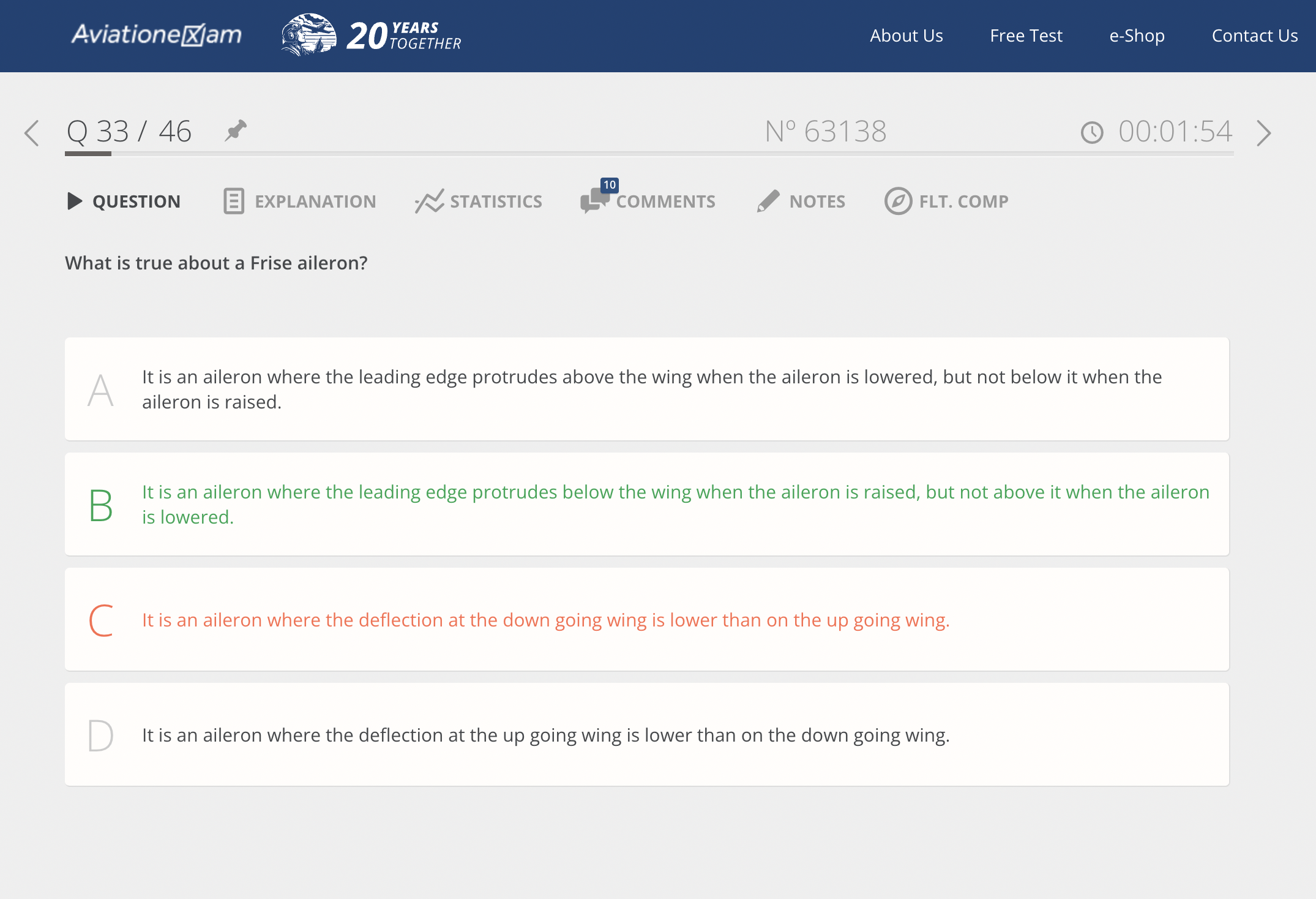
Step 4: Upload the Screenshot to Avi AI
Upload your screenshot to Avi AI. You can then ask about the underlying theory, specific options, or any point of confusion.
Avi AI is built specifically for EASA ATPL study. Its explanations are grounded in:
- ATPL-specific theory
- Official EASA learning objectives
- The way concepts are tested across real exam references
This helps you understand not just the answer, but the reasoning and examiner logic behind it.
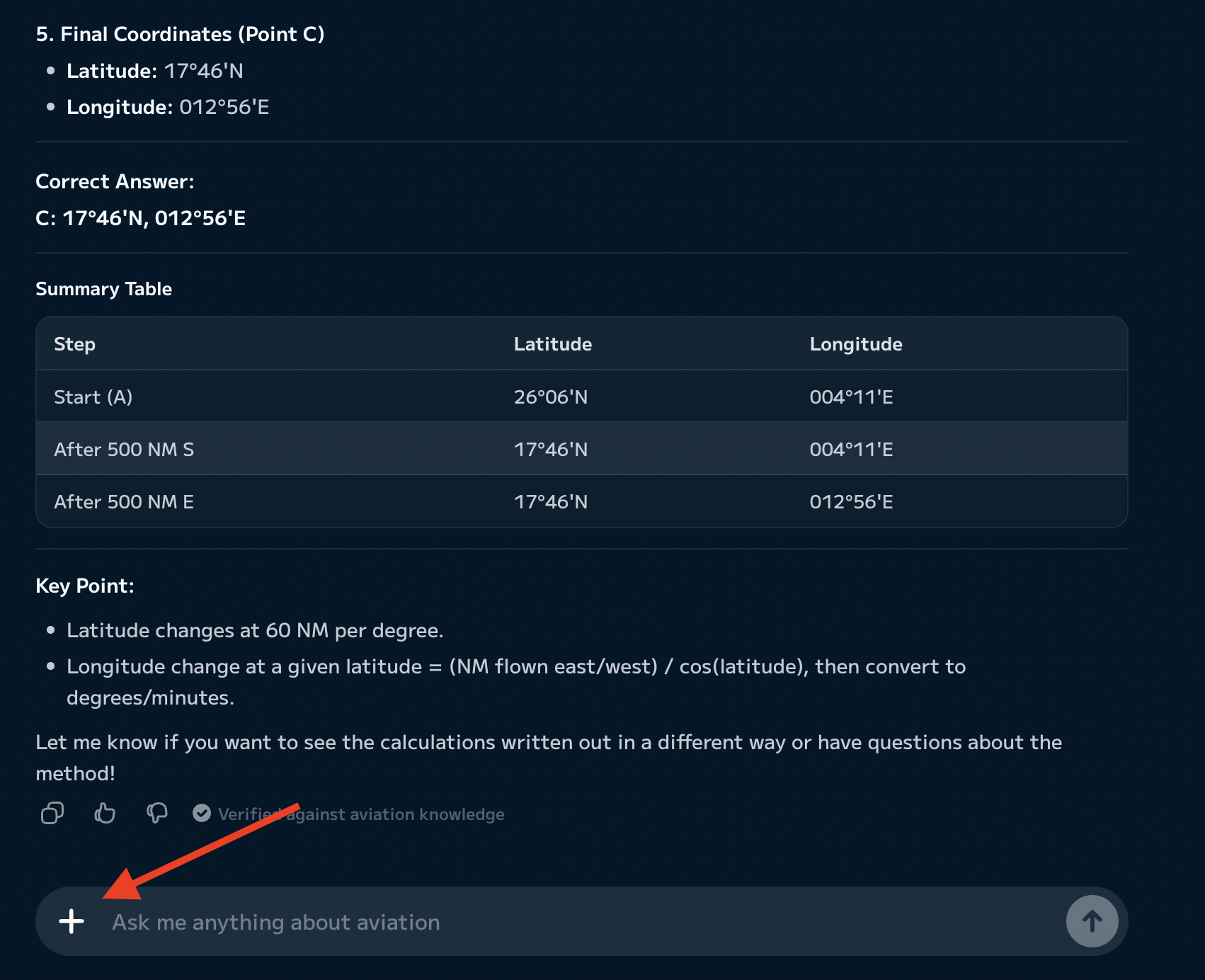
Step 5: Ask Why Every Option Is Right or Wrong
Use prompts like:
“Explain why option C is correct and why A, B and D are wrong. What ATPL concept is this question testing?”
By examining each distractor, you learn to spot common traps and deepen your conceptual understanding.
Step 6: Ask Follow-Up Questions
Go beyond the initial explanation with follow-up prompts such as:
- “What prerequisite knowledge am I missing?”
- “Explain this in simpler terms.”
- “How could the examiner word this differently?”
- “What would need to change for option B to become correct?”
- “Which common exam trap appears in this question?”
- “Ask me one question to check whether I understood it.”
This interactive approach helps clarify doubts and reinforces learning.
Step 7: Record a Short Takeaway
After each review, write one or two lines summarising:
- The core concept tested
- Why you made the mistake (or felt uncertain)
- Any exam trap involved
- What you should review later
This reflection helps cement your understanding and guides future revision.
Step 8: Revisit the Concept
Return to AviationExam and try similar questions, ideally after some time has passed. This encourages active recall and spaced review, helping you avoid relying on memorised wording and strengthening long-term retention.
Practical Example: Principles of Flight Scenario
Imagine you’re studying Principles of Flight and encounter a question about the effect of centre of gravity on stall speed.
- Initial misunderstanding: You believe a forward centre of gravity reduces stall speed.
- Option selected: You choose the option stating “A forward CG decreases stall speed.”
- Avi AI prompt: You upload the screenshot and ask, “Explain why option B is correct and why the others are wrong. What concept is being tested?”
- Missing concept: Avi AI explains that a forward CG normally requires a greater tail-down force. The wing must therefore produce more lift to support the aircraft, increasing the effective aerodynamic loading and stall speed.
- Changed understanding: You realise you confused the effects of CG position and now understand the relationship between CG and stall speed.
- Application: Later, you encounter a differently worded question on the same topic and answer correctly, confidently explaining your reasoning.
Why This Workflow Helps With ATPL Exam Preparation
This workflow supports effective learning by:
- Encouraging active recall through repeated application of concepts
- Highlighting and correcting misconceptions as they arise
- Reinforcing knowledge by reflecting on mistakes and uncertainty
- Helping you identify and address gaps in prerequisite knowledge
- Training you to analyse distractors, not just correct answers
- Reducing false confidence by reviewing uncertain correct answers
- Preparing you to apply theory to differently worded or unfamiliar questions
By using this method, you move beyond memorisation and develop the deeper understanding needed for exam success.
Common Mistakes When Using AviationExam
Many students fall into these traps:
- Completing large numbers of questions without reviewing explanations
- Reviewing only wrong answers, ignoring uncertain correct ones
- Memorising question wording instead of understanding concepts
- Skipping explanations or not seeking clarification
- Focusing only on percentage scores
- Failing to revisit weak topics
- Assuming a correct answer means full understanding
These are study-method pitfalls, not faults in AviationExam itself. Using Avi AI for deeper review can help you avoid them.
Useful Prompts for Avi AI
Copy and use these prompts to get more from Avi AI:
- “Explain why option C is correct and why A, B and D are wrong.”
- “What ATPL concept is this question actually testing?”
- “What prerequisite knowledge am I missing?”
- “How could the examiner word this question differently?”
- “What would need to change for option B to become correct?”
- “Give me a simpler explanation before using technical terminology.”
- “Ask me one follow-up question to check whether I understood it.”
- “Which common exam trap is used in this question?”
How Avi AI Differs From General AI Tools
Avi AI is built specifically for EASA ATPL study and grounds its explanations in ATPL-specific theory, official EASA learning objectives, and concepts reflected across real exam references. This focus means:
- Explanations are more tailored to what you’ll encounter in the exams
- Distractor analysis is designed for ATPL-style questions
- You can ask follow-up questions to probe your understanding
- The tool can help you connect each question to related ATPL concepts and prerequisite knowledge
General AI tools may provide generic answers, but Avi AI is designed to support the specific needs of ATPL students.
Conclusion
AviationExam gives you realistic exam-style practice, while Avi AI helps you investigate uncertainty and deepen your understanding. By combining both tools, you can make the most of every difficult or confusing question and build the knowledge and confidence needed for your EASA ATPL exams.
Ready to deepen your understanding? Try Avi AI with your next AviationExam review session.
Common questions
AviationExam is a powerful tool for practice and revision, but relying solely on question banks can lead to memorisation rather than true understanding. Combining question practice with conceptual review and explanation—such as with Avi AI—creates a more balanced preparation strategy.
Yes. Many students use AviationExam for practice and Avi AI for deeper investigation of difficult or confusing questions. This combination helps you learn more from every question, not just those you get wrong.
Yes, you can upload screenshots of questions you want to understand better. Make sure the screenshot includes the full question, all answer options, and any relevant figures or diagrams. Always respect the question bank’s terms of use and keep screenshots for your own private study.
Yes. Avi AI is designed to explain not only why the correct answer is right, but also why the distractors are incorrect, helping you spot common traps and deepen your understanding.
No. Avi AI is a complementary AI tutor, not a question bank. Use AviationExam for practice and Avi AI for explanation and concept review.
Yes. The workflow—practising questions, flagging uncertainty, uploading screenshots, and seeking explanations—works with any major ATPL question bank.
General AI tools may provide helpful summaries, but Avi AI is specifically designed for EASA ATPL study, offering more exam-relevant explanations and better handling of distractors.
Quality matters more than quantity. Aim for a manageable number of questions, but focus on reviewing both mistakes and uncertain answers in depth to ensure true understanding.
Turn confusion into understanding
Use Avi AI alongside ATPLQ, AviationExam or Airhead to understand the questions you get wrong.
Start free